

Pricing and availability
We compare 600+ stores and found this item at 10 stores. Prices updated .
Store
Reviews
Price









Average Price: $184
Budget/Beginner
$200
$501+
Price Tier
Budget
Standard
High-end
Price History
Based on price data from 7 merchants for "Korg nanoKEY Studio". Prices shown reflect NEW condition. Tracking began Apr 2, 2026.
* Product prices and availability are updated by Equipboard every 24hrs and are subject to change. Equipboard may receive compensation for purchases made at participating retailers linked on this site. This compensation does not affect what products or prices are displayed, or the order of prices listed. For more information, please refer to our affiliate disclosure.
Description
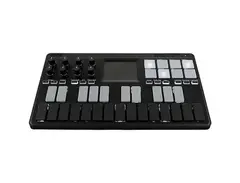
Experience the perfect fusion of functionality and portability with the Korg nanoKEY Studio. This innovative MIDI controller, born from the successful nanoSERIES2 line, offers a plethora of features packed into a compact design, perfect for the musician on the go.
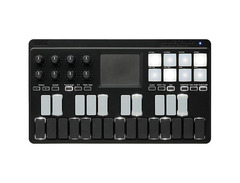
The nanoKEY Studio boasts a 25-note backlit velocity-sensitive keyboard, offering a playing experience that is both responsive and expressive. Complementing the keyboard are 8 backlit velocity-sensitive pads, perfect for triggering samples or tapping out beats.
Adding to its versatility, the nanoKEY Studio also features 8 encoders for precise control over your virtual instruments and plugins. Its unique Kaoss pad provides a creative way to input notes, scales, and CC data, while the sustain and octave buttons add even more to your performance options.
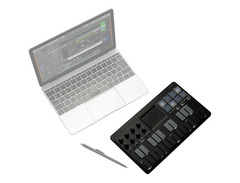
Notably, the nanoKEY Studio is not just about performance; it's also about connectivity. With its Bluetooth LE and traditional USB MIDI capabilities, you can connect wirelessly to your favorite music apps on your iOS device or via USB to your Mac or PC. This freedom of connectivity gives you the power to make music wherever inspiration strikes.
Key Features:
- 25-note backlit velocity-sensitive keyboard
- 8 backlit velocity-sensitive pads
- 8 encoders for precise control
- Kaoss pad for creative note, scale, and CC input
- Sustain and octave buttons for enhanced performance options
- Bluetooth LE and traditional USB MIDI connectivity for versatile connection options
Owner's manual
Korg nanoKEY Studio User ManualProduct specs
| Number of Keys | 25 |
| Type of Keys | Low-profile keypads |
| Pads | 8 velocity-sensitive pads + 25 keypads |
| Encoders/Pots | 8 |
| MIDI I/O | USB |
| USB | 1 x USB Type Micro-B |
| Bluetooth | Yes, Bluetooth LE (Apple Low Energy compliant) |
| OS Requirements - Mac | OS X 10.10 or later |
| OS Requirements - PC | Windows 8.1 or later |
| Power Supply | USB bus power or 2 x AAA batteries |
| Height | 1.30" |
| Width | 10.94" |
| Depth | 6.30" |
| Weight | 1.04 lbs. (without batteries) |
FAQs
-
Does the Korg nanoKEY Studio support Bluetooth connectivity for wireless use?
-
Yes, the Korg nanoKEY Studio supports Bluetooth LE, allowing for wireless MIDI connectivity with compatible devices.
-
Are the keys on the Korg nanoKEY Studio velocity-sensitive?
-
Yes, the Korg nanoKEY Studio features 25 low-profile keypads that are velocity-sensitive, providing dynamic control over your performance.
-
How is the Korg nanoKEY Studio powered?
-
The Korg nanoKEY Studio can be powered via USB bus power or with two AAA batteries, making it versatile for both studio and mobile use.
-
What operating systems are compatible with the Korg nanoKEY Studio?
-
The Korg nanoKEY Studio is compatible with Mac OS X 10.10 or later and Windows 8.1 or later, ensuring broad compatibility with most computer systems.
-
How many velocity-sensitive pads does the Korg nanoKEY Studio have?
-
The Korg nanoKEY Studio includes eight velocity-sensitive pads, allowing for expressive drumming and triggering of samples.
-
Can the Korg nanoKEY Studio connect via USB?
-
Yes, the Korg nanoKEY Studio has a USB Type Micro-B port for a wired MIDI connection to your computer or other devices.
Videos

sonicstate
Korg nano Studio Bluetooth/USB Controllers - SonicLAB Review
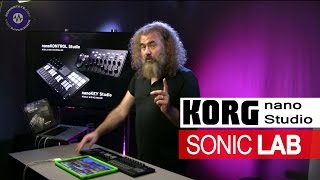
Korg nano Studio Bluetooth/USB Controllers - SonicLAB Review
sonicstate
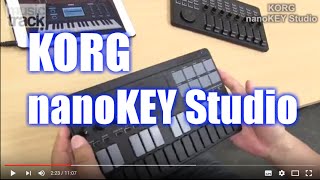
KORG nanoKEY Studio Demo&Review

musictrackjp
This Is Interesting...|Korg NanoKey Studio Review! 2020|

John Mike
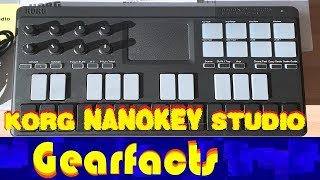
Korg Nanokey Studio demo: Good points, bad points

Gearfacts

KORG nanokey studio in Action!!!

Emlyn In The Mix
KORG: nanoKONTROL Studio & nanoKEY Studio walk through

Korg Australia
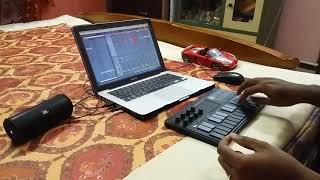
Korg nanokey studio performance #AVIKGANGS

Avik Ganguly
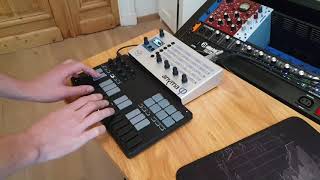
Anyma Phi: with Korg Nanokey Studio

Aodyo Instruments
KORG: nanoKONTROL Studio & nanoKEY Studio walk through

Noisegate
KORG NANOKEY STUDIO KEYBOARD Unboxing - Updating - Demo

Deb Erney (DebErneydotcom)
Reviews
PROS
-
Extremely portable and compact, fits easily in a bag
-
Optimized for Gadget, usable with various DAWs
-
Works flawlessly with most apps, minimal latency
-
Good battery life, can also be USB powered
-
Keys and pads are sensitive and responsive
-
Features like chord & scale modes directly from the controller
-
Includes light version of Korg Gadget for immediate plug-and-play
-
Versatile: keys, pads, knobs, touchpad for comprehensive control
-
Bluetooth and USB connectivity options for flexible setups
-
Illuminated keys and pads for visibility in low light
CONS
-
Bluetooth does not autoconnect when switching apps, may affect live performance
-
Keyboard not designed for fluid melody playing, better for triggering chords/arps
-
Build feels plasticky, though lightweight and portable
-
Some users report issues with Korg USB drivers and editor software
Owner Insights
We analyzed real musician discussions from forums and Reddit to find what players love, question, and tweak about Korg nanoKEY Studio.
Features and functionality
-
The Korg nanoKEY Studio's easy scale function helps beginners with chord progressions, especially useful for those without piano skills.
Source -
The Korg nanoKEY Studio offers seamless Bluetooth connectivity with iPads, making it ideal for portable setups without the hassle of cables.
Source -
The key backlight is only visible from above or in dark settings due to the non-transparent keys, limiting its effectiveness in bright environments.
Source
Comparisons
-
Users suggest alternatives like Akai MPK mk3 for its endless encoders, or Arturia Mini Lab for better keys and smaller pads.
Source
Value and pricing
-
Second-hand options for controllers like Akai MPK are recommended for budget-conscious buyers, highlighting affordability without sacrificing functionality.
Source -
Owners note potential price drops during Black Friday sales, suggesting buyers may find better deals if they wait.
Source -
The software bundle includes only free iPad apps and discounts for Windows programs, not the full software initially implied, reducing perceived value.
Source
User experience
-
Some owners prefer MIDI controllers with standard keys, like the Novation Launchkey Mini, for building foundational skills early in music production.
Source -
The Korg nanoKEY Studio's Bluetooth feature eliminates cable clutter, enhancing convenience for iPad users compared to the wired setup of the Arturia MiniLab 3.
Source
Software and compatibility
-
Korg nanoKEY Studio pairs effortlessly with Korg Gadget, allowing out-of-the-box functionality and streamlined integration for users of this software.
Source -
Users can run multiple apps simultaneously on the Korg nanoKEY Studio, utilizing different MIDI channels for varied control in live setups.
Source
Setup and maintenance
-
The Korg BLE-MIDI app facilitates easy Bluetooth pairing with iPads, though connecting via wire for firmware updates can be problematic on newer OS computers.
Source
Build quality
Critic Reviews
4.5 out of 5
Based on 3 Reviews and 11 Ratings

3579
Compact, affordable & packed full of features but...
PRO: It's affordable, relatively sturdy build yet light and compact (will easily fits in your backpack or laptop bag). Packed full of features: keys, pads, knobs, touchpad, connects over USB & BT, battery or USB powered, arps, scales, presets... There's probably nothing out there like this little gem...
BUT... some CONS: I don't seem to get along with any of the Korg nano-Series... Not sure what it is... Is it because the positioning, feedback and texture of the keys...? Is it because of the clunky & clumsy Korg USB drivers & editor for this thing?
BUT... Despite my dislike, I find myself to keep using this regularly when travelling or trying something out in the couch... and I will hold onto this, at least until something better comes along my path :-)

6792
Useful and pratical
I like so much, i have everything i need. I can take it wherever I go .

Artist usage
Add artist

Genre Usage
Based on how artists on Equipboard use this gear, it is most commonly found in the following genres.
Used With
Based on how musicians on Equipboard use Korg nanoKEY Studio, it is most commonly used with the following gear.
-s.webp?v=1784819144)





Community setups
Show yours

More Korg MIDI Keyboard Controllers

$39.99 - $99.99
in MIDI Keyboard Controllers Rank


$119.00 - $199.99
in MIDI Keyboard Controllers Rank


$56.00 - $139.99
in MIDI Keyboard Controllers Rank


$120.00 - $249.99


$140.63 - $239.99


$93.42 - $199.99


$83.00 - $179.99


$80.90 - $169.99


$93.00 - $219.99

$120.00 - $249.99


$499.00 - $1,150.00


-m.webp?v=1784338155)


$248.00 - $279.99
in MIDI Keyboard Controllers Rank
-m.webp?v=1784819051)
$85.00 - $149.50
in MIDI Keyboard Controllers Rank


.jpeg?v=1784640200)

$174.45 - $712.00
in MIDI Keyboard Controllers Rank


$135.00 - $678.00
in MIDI Keyboard Controllers Rank


$32.72 - $59.00
in MIDI Keyboard Controllers Rank


$46.41
in MIDI Keyboard Controllers Rank


-m.webp?v=1784818827)
$406.30 - $469.00
in MIDI Keyboard Controllers Rank


$76.07 - $89.00
in MIDI Keyboard Controllers Rank


Accessories & Related Items




Similar


Gear Guides







Most Popular MIDI Keyboard Controllers
Most Popular Brands
-
Added to Equipboard on by
 michael
GearIQ 43610
-


