


Pricing and availability
We compare 600+ stores and found this item at 2 stores. Prices updated .
Store
Reviews
Price




* Product prices and availability are updated by Equipboard every 24hrs and are subject to change. Equipboard may receive compensation for purchases made at participating retailers linked on this site. This compensation does not affect what products or prices are displayed, or the order of prices listed. For more information, please refer to our affiliate disclosure.
Description
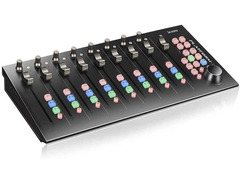
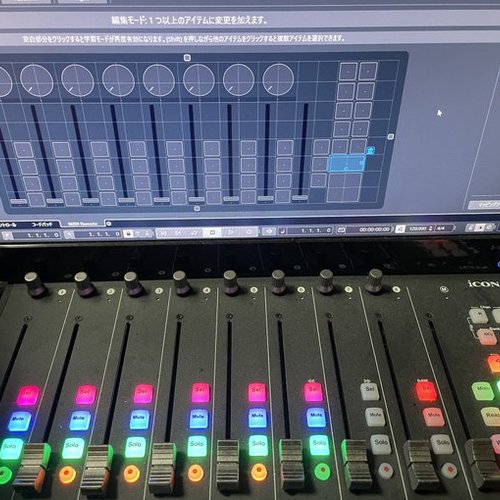
Unleash your creativity with the iCON Pro Audio Platform M+, a compact yet powerful DAW controller designed to seamlessly integrate tactile control into your digital audio workstation. Perfect for producers, engineers, and musicians, this MIDI control surface offers the intuitive feel of a traditional mixing console while fitting snugly into any modern studio setup. With its nine full-sized motorized faders, eight dual-function encoder knobs, and a jog wheel, the Platform M+ places all essential controls at your fingertips. Effortlessly manage tasks such as Mute, Solo, Automation, and Transport control using the backlit buttons.
The Platform M+ is engineered for versatility, supporting a wide range of DAWs with pre-mapped presets for popular software like Cubase, ProTools, Ableton Live, and Logic. Even if your DAW isn't on this list, the MIDI learn mode allows for easy customization. With its compact size, the Platform M+ serves as the cornerstone of a scalable, modular setup. Expand your capabilities with optional add-ons like the Platform D Backlit LCD Display Module, or wait for future expansion modules to further enhance your control surface.
Beyond hardware, the Platform M+ includes a suite of recording software to jump-start your projects. Access tools like the Harrison 32C Vocal Intensity Processor and Mixbus32C workstation, along with FX plug-ins from Tracktion and Dotec Audio. Whether you're streaming, podcasting, or mixing a new track, the Platform M+ is your key to an efficient and creative workflow.
Key Features:
- Nine full-sized motorized faders
- Eight dual-function encoder knobs
- Backlit buttons for essential controls
- Pre-mapped presets for popular DAWs
- MIDI learn mode for custom mapping
- Compact and modular design
- Includes a suite of recording software and plug-ins
Product specs
| Brand | Icon |
| Model | Platform M+ DAW Controller |
| Finish | Black |
| Year | 2010s |
FAQs
-
Is the iCON Pro Audio Platform M+ compatible with all major DAWs?
-
Yes, the iCON Pro Audio Platform M+ is compatible with most major DAWs, including Ableton Live, Logic Pro, Cubase, and Pro Tools, thanks to its Mackie Control and HUI protocols.
-
Does the iCON Pro Audio Platform M+ have motorized faders?
-
Yes, the iCON Pro Audio Platform M+ features nine touch-sensitive motorized faders, which provide precise control and automation capabilities.
-
Can the iCON Pro Audio Platform M+ be expanded for more channels?
-
Yes, the Platform M+ can be expanded with the Platform X+ extender, allowing you to add more faders and controls as needed for larger projects.
-
What are the main connectivity options for the iCON Pro Audio Platform M+?
-
The iCON Pro Audio Platform M+ connects via USB, making it easy to integrate with your computer and DAW setup.
-
Does the iCON Pro Audio Platform M+ come with any software?
-
Yes, the iCON Pro Audio Platform M+ includes access to Bitwig Studio 8-Track and a range of plugins from Harrison, Tracktion, and Dotec Audio, which are available for download upon registration.
Videos

Doctor Mix
The iCon Platform M+: The Best Compact Controller For Production?
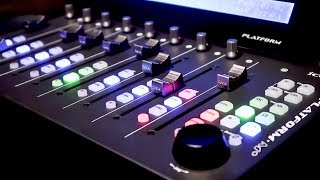
The iCon Platform M+: The Best Compact Controller For Production?
Doctor Mix
The Best DAW Controller For You? Icon DAW Control Surface Comparison

Lonely Rocker
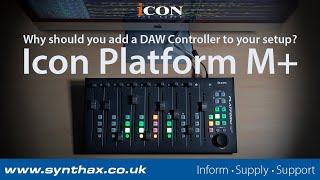
Why You Should Add a DAW Controller to your Setup with the Icon Platform M+

Synthax Audio UK
Unboxing the Game-Changing DAW Icon Platform M+: A First Look

Marius Radu
Reviews
PROS
-
Compact size with access to multiple channels simultaneously
-
Improves mixing speed and precision
-
Easy integration with Logic Pro X and other DAWs via Quick Setup
-
9 touch-sensitive motorized faders for dynamic control
-
High build quality and robust aluminum housing
-
Expandable with additional units for larger setups
-
Supports both Mackie Control and HUI protocols for wide DAW compatibility
-
Class-compliant with major operating systems for easy installation
-
Illuminated buttons and knobs enhance usability in low-light conditions
CONS
-
Mixer button functionality issues with Cubase
-
Some users report unreliable performance with Logic Pro X
-
Customer support may be unresponsive to troubleshooting requests
-
Pan knob quality feels cheaper compared to other controls
-
Control software described as delicate, implying potential fragility or complexity
Owner Insights
We analyzed real musician discussions from forums and Reddit to find what players love, question, and tweak about iCON Pro Audio Platform M+.
Features and functionality
-
The Platform M+ has a display which enhances usability, though banking can be cumbersome for smaller scenes with 8 tracks or fewer.
Source -
Switching banks is beneficial when managing multiple mics, adding flexibility to setups with numerous inputs.
Source -
Users report that the Platform M+ cannot function as both a MIDI CC controller and a channel mixer simultaneously, requiring mode switching for each task.
Source
User experience
Setup and maintenance
-
Powering via BDS is common, but proper voltage is crucial; a 12V cable underperformed compared to the recommended 15V for PSC BDS.
Source
Build quality
-
The footprint of the Platform M+ is considered larger than necessary by some users, potentially affecting portability.
Source
Software and compatibility
Critic Reviews
4.5 out of 5
Based on 2 Reviews and 3 Ratings

1251
Cost-effectiveness is not bad, but if you can afford the expense, you should buy a more expensive product.
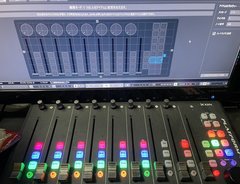
The quality of the product is high for the price. The quality of the faders and jog dials is good, but the pan knob is cheap. The control software is also a bit delicate. The fact that it can be used as either a MiDicc or a physical controller is good.

616
iCON Platform M+ DAW Controler
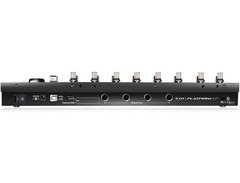
USB DAW controller 9 touch-sensitive motor faders (8 x channel, 1x master) 8 endless knobs jogwheel illuminated transport buttons 2 illuminated track buttons 2 illuminated bank buttons Integrated iCon Quick Setup driver for easy Plug & Play installation in Cubase, Nuendo, Reason and Bitwig Mackie Control Protocol for almost every DAW Mackie HUI protocol for controlling Pro Tools iMap software for assigning keys and for firmware updates robust aluminum housing with Kensington lock Class-compliant with Windows XP, Vista (32 bit), Windows 7 (32 and 64 bit), Windows 10 (64 bit) and Mac OS X (Intel Mac) Incl. power supply (12V / 2.5A) and USB cable matching display Icon Platform D: Art. 396647 (not included)
Artist usage
Add artist
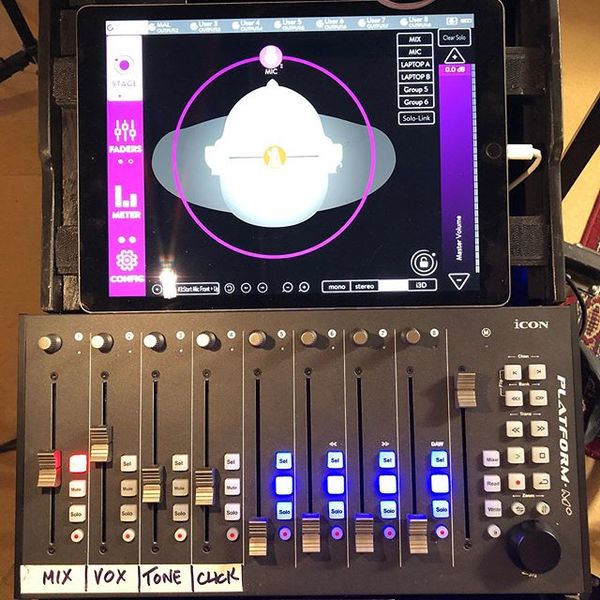
This Instagram post by Karl Hyde shows the band's Platform M+.

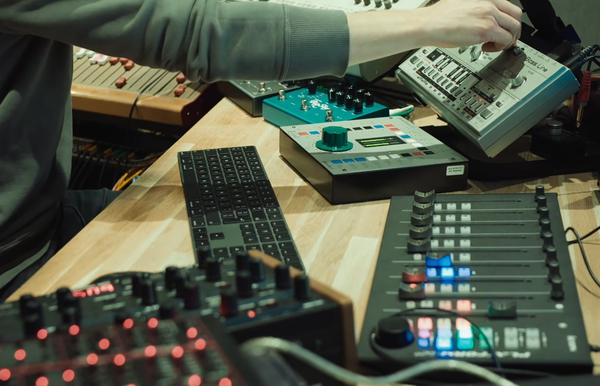
iCON Platform M+ is used in this live. https://www.youtube.com/watch?v=mR22xmui2eE
Genre Usage
Based on how artists on Equipboard use this gear, it is most commonly found in the following genres.
Used With
Based on how musicians on Equipboard use iCON Pro Audio Platform M+, it is most commonly used with the following gear.


Community setups
Show yours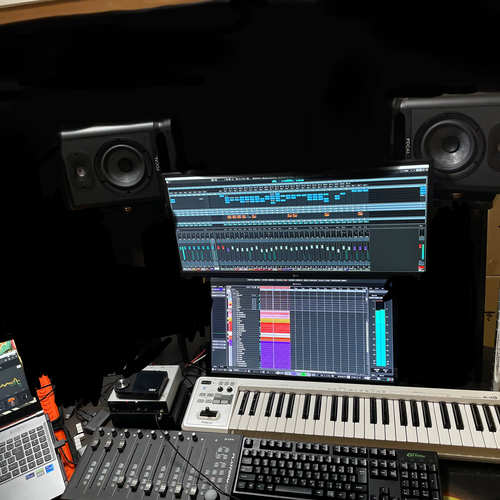
Similar
Add recommendation1 alternative for iCON Pro Audio Platform M+, curated by the Equipboard community.

$228.68 - $524.99
More iCON Pro Audio DAW Controllers

$421.84
in DAW Controllers Rank


$74.00
in DAW Controllers Rank

$142.79 - $163.00
in DAW Controllers Rank


$459.00 - $599.00
in DAW Controllers Rank
-m.webp?v=1784819643)
$245.00 - $299.00
in DAW Controllers Rank

$699.00 - $899.00
in DAW Controllers Rank

$899.00 - $1,099.00
in DAW Controllers Rank

$371.00 - $499.00
in DAW Controllers Rank


$133.00 - $240.00
in DAW Controllers Rank


$180.00 - $277.00
in DAW Controllers Rank


$53.00 - $119.99
in DAW Controllers Rank


$249.00 - $499.00
in DAW Controllers Rank


$80.00
in DAW Controllers Rank


$33.91 - $209.99
in DAW Controllers Rank


$285.00 - $419.00
in DAW Controllers Rank


$182.68 - $599.99
in DAW Controllers Rank


$1,045.00 - $1,399.99
in DAW Controllers Rank


$76.40 - $109.00
in DAW Controllers Rank


$57.00 - $1,299.99
in DAW Controllers Rank


in DAW Controllers Rank


$95.00
in DAW Controllers Rank


$99.00 - $229.00
in DAW Controllers Rank


$699.99 - $839.99
in DAW Controllers Rank


$169.00 - $209.99
in DAW Controllers Rank


$228.68 - $524.99
in DAW Controllers Rank


$1,295.00 - $1,495.00
in DAW Controllers Rank


$995.00 - $1,195.00
in DAW Controllers Rank


$79.95 - $109.00
in DAW Controllers Rank


$122.00 - $189.00
in DAW Controllers Rank


$160.63 - $349.99
in DAW Controllers Rank

$184.28
in DAW Controllers Rank


$575.69 - $799.99
in DAW Controllers Rank

$120.00
in DAW Controllers Rank


$48.00 - $70.90
in DAW Controllers Rank

Gear Guides







Most Popular DAW Controllers
Most Popular Brands
-
Added to Equipboard on by
peter_schipsGearIQ 616
-


