

Pricing and availability
We compare 600+ stores and found this item at 4 stores. Prices updated .
Store
Reviews
Price




Price History
Based on price data from 1 merchant for "iCON Pro Audio P1-M". Prices shown reflect NEW condition. Tracking began Apr 7, 2026.
* Product prices and availability are updated by Equipboard every 24hrs and are subject to change. Equipboard may receive compensation for purchases made at participating retailers linked on this site. This compensation does not affect what products or prices are displayed, or the order of prices listed. For more information, please refer to our affiliate disclosure.
Description
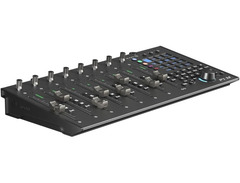
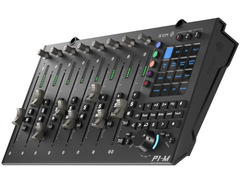
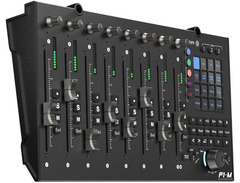
The iCON Pro Audio P1-M DAW Controller is your ultimate companion for streamlined music production. Whether you're crafting beats in a home studio or mixing tracks in a professional environment, this compact powerhouse ensures you have all the control at your fingertips. Featuring a 4" OLED touchscreen with 16 programmable fields and 5 customizable layers, the P1-M lets you manage up to 80 functions, catering to your unique workflow. Effortlessly switch between up to three DAWs and experience seamless integration with leading software like Logic Pro, Ableton Live, and Pro Tools.
The P1-M's 8 touch-sensitive motorized faders offer precision and smooth operation, responding to your every move with 12-bit resolution. Its intelligent design includes illuminated function buttons for critical tasks such as recording, soloing, and muting, ensuring you can focus on your creative process without interruption. Expand your setup with optional P1-X modules to manage up to 64 channels depending on your DAW, transforming this controller into a truly scalable solution for any studio size.
Compatible with both MacOS and Windows, the P1-M connects via USB-C, offering class-compliant operation for hassle-free use. With additional features like dual footswitch inputs and a rugged build, this DAW controller is designed to support your musical journey from creation to live performance.
Key Features:
- 8 touch-sensitive motorized faders with 12-bit resolution
- 4" OLED touchscreen with 16 programmable fields and 5 layers
- Supports control of up to 3 DAWs simultaneously
- Integration with popular DAWs: Logic Pro, Ableton Live, Pro Tools, and more
- USB-C connectivity and class-compliant with MacOS and Windows
- Expandable to 64 channels with optional P1-X modules
- Illuminated buttons for essential DAW functions
- Dual 1/4" footswitch inputs for added control options
Owner's manual
iCON Pro Audio P1-M User ManualProduct specs
| Available since | December 2023 |
| USB | Yes |
| Bluetooth | No |
| 5-pole DIN MIDI | No |
| Ethernet | No |
| Fader | 8 |
| Rotary Encoders | 8 |
| Audio I/O | No |
| Transport Function | Yes |
| Footswitch connection | Yes |
| Foot Controller Connection | Yes |
| Bus-Powered | No |
| Jog | Yes |
| Joystick | No |
| Additional Features | n/a |
FAQs
-
What DAWs is the iCON Pro Audio P1-M DAW Controller compatible with?
-
The iCON Pro Audio P1-M is compatible with most major DAWs, including Bitwig Studio 8-Track, which is available for download upon purchase. It also integrates well with other popular DAWs such as Ableton Live, Logic Pro, and Pro Tools.
-
Does the iCON Pro Audio P1-M require external power?
-
Yes, the iCON Pro Audio P1-M is not bus-powered and requires an external power source for operation.
-
How many faders and rotary encoders does the iCON Pro Audio P1-M have?
-
The iCON Pro Audio P1-M features 8 motorized faders and 8 rotary encoders, providing precise control over your DAW's mix and parameters.
-
Can I connect a footswitch or foot controller to the iCON Pro Audio P1-M?
-
Yes, the iCON Pro Audio P1-M supports connections for both a footswitch and a foot controller, allowing for expanded control options during your sessions.
-
Does the iCON Pro Audio P1-M include any software or plugins?
-
Yes, the iCON Pro Audio P1-M comes with a selection of software and plugins, including the Harrison 32C Vocal Intensity Processor, Tracktion DAW Essentials, and Dotec Audio plug-ins, enhancing your recording and mixing capabilities.
Videos

mix-IN
My Review of the P1-M from iCON Pro Audio
My Review of the P1-M from iCON Pro Audio
mix-IN
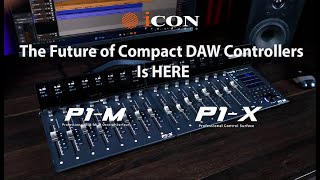
iCON Pro Audio P1-M DAW Controller & P1-X Extender

Icon Pro Audio
P1-M Digital Controller | FIRST IMPRESSIONS! #digitalmixer #musicproduction #homestudio

J.Mártir
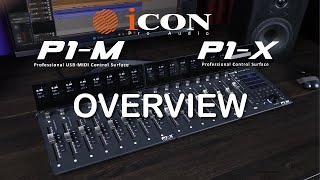
iCON Pro Audio P1 M DAW Controller & P1 X DAW Control Expander Overview
Icon Pro Audio
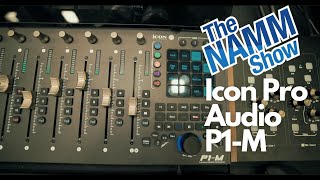
Namm 2023 | Quick Look | Icon Pro Audio | P1-M

★ ZndBorn Mixed It ★
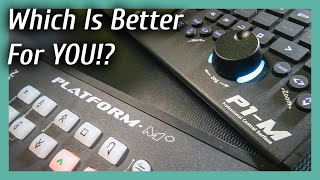
iCon M+ vs P1-M - Which DAW Controller Is Better?

Omoi Senpai
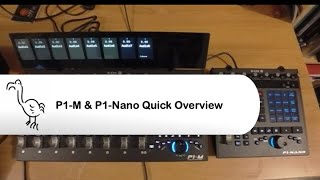
Welcome iCon Pro Audio P1-M

DeliciousMauritious
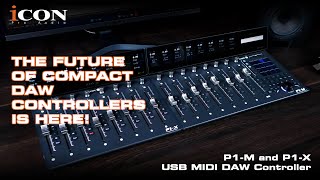
ICON Pro Audio P1-M and P1-X Introduction Video

Sound Service GmbH
Reviews
PROS
-
Fader motors are barely audible, providing a quiet operation
-
Single button switch between "master" and "channel 8" fader is efficient
-
LCD buttons function smoothly and enhance usability
-
Offers DAW templates for extensive compatibility across software
-
Five-layer touchscreen enhances control without overlays
-
Facilitates quick navigation and speeds up workflow
-
Allows seamless control over multiple workstations
-
Physical buttons have a good tactile feel
CONS
-
iMap software is buggy and unreliable with DAW templates
-
Firmware updates can cause functionality issues with certain pads
-
Transport controls are cramped, challenging for larger fingers
-
Display is crucial but considered overpriced
-
Build quality concerns: stiff faders, uneven jog-wheel, and controller instability
-
Faders self-adjust without DAW input, causing potential disruptions
-
Limited character space for custom shortcuts
-
Display extension lacks full information visibility, limiting functionality
Owner Insights
We analyzed real musician discussions from forums and Reddit to find what players love, question, and tweak about iCON Pro Audio P1-M.
Features and functionality
-
The P1-M's small 20 cm depth allows precise desk placement, enabling ergonomic wrist support while working.
Source -
Bus channels can be accessed with a single press if DAW-dependent setups allow, but the master bus control is limited to fader adjustments.
Source -
The P1-M's D4 display faces customization challenges due to the Mackie protocol treating it as two displays, complicating personalized mapping efforts.
Source -
The P1-M has two dedicated user pages for the touchscreen, allowing hot key or MIDI use, enhancing its versatility for different user needs.
Source
Software and compatibility
-
Owners report various software issues; problems vary significantly, suggesting potential bugs or instability in the current firmware.
Source -
Firmware upgrade issues are noted, with failures occurring during the initial steps on Windows machines. Compatibility with Mac for upgrades remains untested.
Source -
DrivenByMoss supports Reaper integration, but users may need third-party tools like CSI or ReaLearn for better customization of plugin controls.
Source -
Firmware upgrades are anticipated to fix display bugs, which some users are waiting for before proceeding with further customization efforts.
Source
User experience
Critic Reviews
Based on 0 Reviews and 0 Ratings
Genre Usage
Based on how artists on Equipboard use this gear, it is most commonly found in the following genres.
Used With
Based on how musicians on Equipboard use iCON Pro Audio P1-M, it is most commonly used with the following gear.


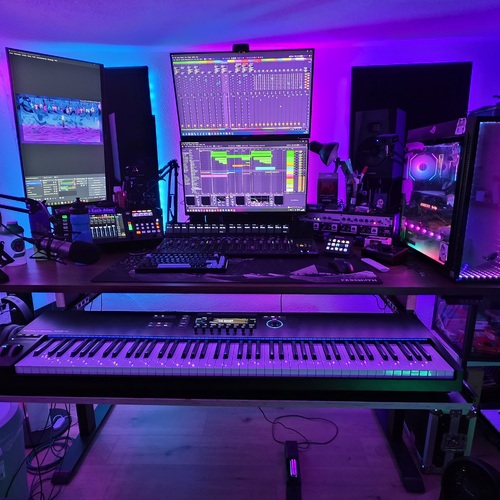
Community setups
Show yours
More iCON Pro Audio DAW Controllers

$422.44
in DAW Controllers Rank


$200.00 - $382.49
in DAW Controllers Rank


$74.00
in DAW Controllers Rank

$142.97 - $163.00
in DAW Controllers Rank

-m.webp?v=1784906054)
$245.00 - $299.00
in DAW Controllers Rank

$699.00 - $899.00
in DAW Controllers Rank

$899.00 - $1,099.00
in DAW Controllers Rank

$371.00 - $499.00
in DAW Controllers Rank


$133.00 - $240.00
in DAW Controllers Rank


$182.00 - $277.00
in DAW Controllers Rank


$53.00 - $119.99
in DAW Controllers Rank


$249.00 - $499.00
in DAW Controllers Rank


$80.00
in DAW Controllers Rank


$33.96 - $209.99
in DAW Controllers Rank


$285.00 - $419.00
in DAW Controllers Rank


$182.92 - $599.99
in DAW Controllers Rank


$1,045.00 - $1,399.99
in DAW Controllers Rank


$76.40 - $109.00
in DAW Controllers Rank


$57.00 - $1,299.99
in DAW Controllers Rank


in DAW Controllers Rank


$95.00
in DAW Controllers Rank


$99.00 - $229.00
in DAW Controllers Rank


$699.99 - $839.99
in DAW Controllers Rank


$169.00 - $209.99
in DAW Controllers Rank


$229.01 - $524.99
in DAW Controllers Rank


$1,295.00 - $1,495.00
in DAW Controllers Rank


$995.00 - $1,195.00
in DAW Controllers Rank


$79.95 - $109.00
in DAW Controllers Rank


$122.00 - $189.00
in DAW Controllers Rank


$129.00 - $349.99
in DAW Controllers Rank

$184.54
in DAW Controllers Rank


$575.64 - $799.99
in DAW Controllers Rank

$120.00
in DAW Controllers Rank


$48.00 - $70.90
in DAW Controllers Rank

Artist usage


Similar


Gear Guides







Most Popular DAW Controllers
Most Popular Brands
-
Added to Equipboard on by
 meb
mebGearIQ 2822
-





