-s.webp?v=1784819643)
-xl.webp?v=1784819643)
Pricing and availability
We compare 600+ stores and found this item at 5 stores. Prices updated .
Store
Reviews
Price





Price History
Based on price data from 1 merchant for "iCON Pro Audio P1-Nano". Prices shown reflect NEW condition. Tracking began Apr 7, 2026.
* Product prices and availability are updated by Equipboard every 24hrs and are subject to change. Equipboard may receive compensation for purchases made at participating retailers linked on this site. This compensation does not affect what products or prices are displayed, or the order of prices listed. For more information, please refer to our affiliate disclosure.
Description
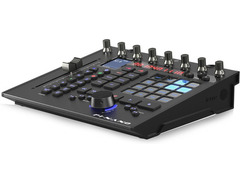
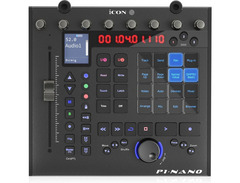
The iCON Pro Audio P1-Nano is a compact powerhouse, engineered for creators who demand precision and efficiency from their DAW controllers. Whether you're in a cozy home studio or a bustling professional setup, this single-fader controller is your go-to tool for seamless integration and intuitive control. At the heart of the P1-Nano is its touch-sensitive motorized fader, offering 12-bit resolution that delivers a tactile, responsive feel for mixing perfection.
The 4" OLED touchscreen sets the P1-Nano apart, boasting 16 programmable fields across 5 layers—totaling an impressive 80 customizable functions. This feature allows you to access essential controls swiftly, enhancing your workflow without losing focus on your creative process. With the ability to control up to three DAWs simultaneously, this device is versatile enough to handle complex projects with ease.
The P1-Nano's compatibility with leading DAWs such as Logic Pro, Ableton Live, and Pro Tools ensures a seamless fit into any creative environment. The illuminated transport and automation controls, coupled with a robust build and sleek design, make it a reliable partner for both music production and post-production tasks.
Key Features:
- Touch-sensitive motorized fader with 12-bit resolution
- 4" OLED touchscreen with 16 programmable fields and 5 layers
- Control up to 3 DAWs simultaneously
- Compatible with popular DAWs: Logic Pro, Ableton Live, Pro Tools, etc.
- Illuminated buttons for recording, solo, mute, and channel selection
- Supports Mackie Control Universal and HUI protocols
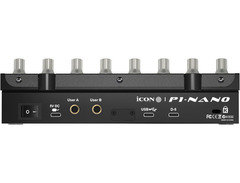
- USB-C connectivity, class-compliant with MacOS and Windows
- Expandable with optional D5 display unit
Owner's manual
iCON Pro Audio P1-Nano User ManualProduct specs
| Available since | December 2023 |
| USB | Yes |
| Bluetooth | No |
| 5-pole DIN MIDI | No |
| Ethernet | No |
| Fader | 1 |
| Rotary Encoders | 8 |
| Audio I/O | No |
| Transport Function | Yes |
| Footswitch connection | Yes |
| Foot Controller Connection | Yes |
| Bus-Powered | Yes |
| Jog | Yes |
| Joystick | No |
| Additional Features | n/a |
FAQs
-
What DAWs is the iCON Pro Audio P1-Nano compatible with?
-
The iCON Pro Audio P1-Nano is designed to be compatible with a wide range of popular DAWs, including Ableton Live, Pro Tools, Logic Pro, and Cubase, allowing for seamless integration and control.
-
Does the iCON Pro Audio P1-Nano require an external power supply?
-
No, the iCON Pro Audio P1-Nano is bus-powered via USB, eliminating the need for an external power supply and making it convenient for mobile setups.
-
How many faders and rotary encoders does the iCON Pro Audio P1-Nano have?
-
The iCON Pro Audio P1-Nano features one motorized fader and eight rotary encoders, providing precise control over your DAW's parameters.
-
Can I connect a footswitch to the iCON Pro Audio P1-Nano?
-
Yes, the iCON Pro Audio P1-Nano includes a footswitch connection, allowing for hands-free control of certain functions in your DAW.
-
Does the iCON Pro Audio P1-Nano include a jog wheel for navigation?
-
Yes, the iCON Pro Audio P1-Nano is equipped with a jog wheel, which facilitates easy navigation and precise control within your DAW.
Videos

Sound Service GmbH
ICON NAMM NEWS 2023 - New V1-M, P1-M, P1-Nano DAW Controllers
ICON NAMM NEWS 2023 - New V1-M, P1-M, P1-Nano DAW Controllers
Sound Service GmbH
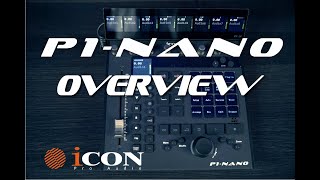
iCON Pro Audio P1 Nano Overview

Icon Pro Audio
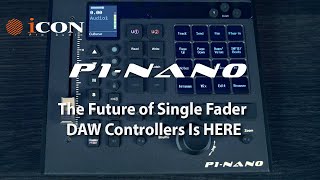
iCON Pro Audio P1 Nano Single Fader DAW Controller
Icon Pro Audio
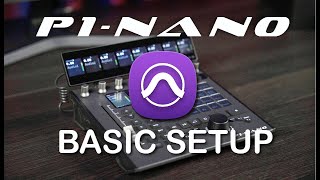
P1 Nano with Pro Tools Basic Setup
Icon Pro Audio
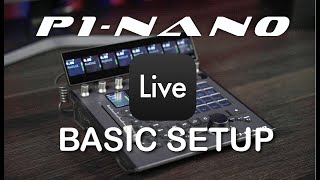
P1 Nano Basic Setup with Ableton Live
Icon Pro Audio
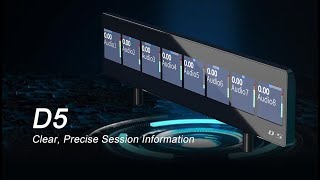
D5 Display for P1 Nano Setup
Icon Pro Audio
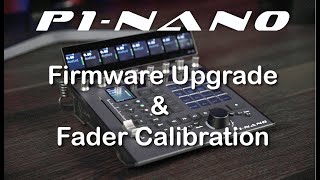
P1 Nano Firmware Update & Fader Calibration Tutorial
Icon Pro Audio
Reviews
PROS
-
Streamdeck-style touch screen enhances DAW command accessibility and visibility
-
Supports configuration for up to three DAWs, offering versatile workflow integration
-
Offers 80 configurable functions across 5 modes, ideal for power users
-
Solid build quality with a professional feel, blending plastic and metal
-
Compact size ideal for desks with limited space
-
Smooth motorized fader, better resolution than some competitors
-
D5 display provides detailed eight-channel views for hands-on control
CONS
-
Fader flip function lacks reliability and specificity in controlling plugin parameters
-
Unintuitive control layout complicates quick operations, particularly near the jogwheel
-
Inadequate documentation makes setup unnecessarily difficult
-
Quality control issues with LCD panel and power stability
-
Integration with some DAWs like Ableton feels clunky and subpar
Owner Insights
We analyzed real musician discussions from forums and Reddit to find what players love, question, and tweak about iCON Pro Audio P1-Nano.
Features and functionality
-
Adding a flat rubber band to the jog wheel enhances its feel and usability significantly.
Source -
Jog wheel speeds are inconsistent in Reaper, needing adjustments for better responsiveness and direction accuracy during plugin use.
Source -
Track movement buttons in Reaper select/unselect tracks into groups rather than moving between them, affecting workflow.
Source
Mods and upgrades
-
Custom integration scripts can enhance the P1-Nano's functionality, allowing it to control track selection and plugin parameters more intuitively.
Source
Software and compatibility
-
An updated MackieControl script allows for smooth track scrolling and correct loop region setting in Ableton Live.
Source -
The P1-Nano requires updating to Firmware Version 1.21 and Software Version 1.20 for optimal performance with Logic Pro, despite official setup instructions indicating otherwise.
Source -
The P1-Nano defaults to using MIDI Port 1 for both input and output in Logic Pro, contrary to the setup video that suggests using MIDI Port 2.
Source -
The P1-Nano works fine with Ableton on a Mac Mini M2 running Mac OS Sanoma 14.1.1, but has issues with Reaper 7 on the same setup.
Source
Use cases and applications
-
The controller is highly customizable, making it suitable as a transport and current track controller, especially with user-created scripts.
Source
User experience
-
The jog wheel and button customization make the P1-Nano a favored choice over other single fader DAW controllers despite its reliance on Ableton’s MackieControl script.
Source -
Users note occasional bugs and quirks that require troubleshooting, but the controller remains functional and beneficial once familiar with these issues.
Source -
Some users report needing to reset the CMOS as the P1-Nano can cause USB ports to malfunction, affecting other devices like joysticks.
Source -
Multiple owners experience horizontal and vertical zoom issues with the jog wheel in Reaper, while it functions correctly in Ableton.
Source
Based on 0 Reviews and 0 Ratings
Genre Usage
Based on how artists on Equipboard use this gear, it is most commonly found in the following genres.
Used With
Based on how musicians on Equipboard use iCON Pro Audio P1-Nano, it is most commonly used with the following gear.





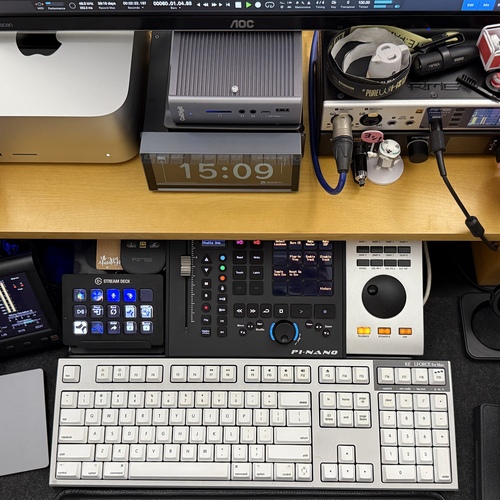
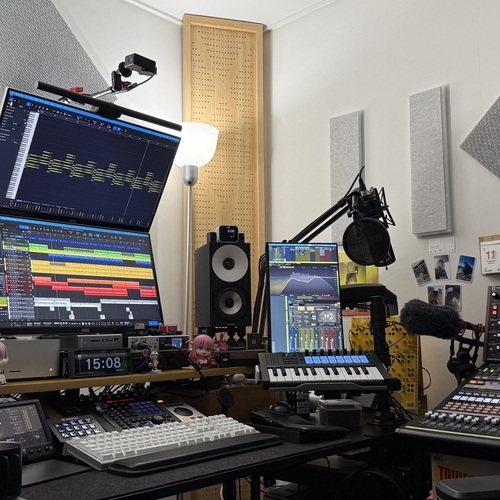
Community setups
Show yours
More iCON Pro Audio DAW Controllers

$421.84
in DAW Controllers Rank


$200.00 - $382.49
in DAW Controllers Rank


$74.00
in DAW Controllers Rank

$142.79 - $163.00
in DAW Controllers Rank


$459.00 - $599.00
in DAW Controllers Rank

$699.00 - $899.00
in DAW Controllers Rank

$899.00 - $1,099.00
in DAW Controllers Rank

$371.00 - $499.00
in DAW Controllers Rank


$133.00 - $240.00
in DAW Controllers Rank


$180.00 - $277.00
in DAW Controllers Rank


$53.00 - $119.99
in DAW Controllers Rank


$249.00 - $499.00
in DAW Controllers Rank


$80.00
in DAW Controllers Rank


$33.91 - $209.99
in DAW Controllers Rank


$285.00 - $419.00
in DAW Controllers Rank


$182.68 - $599.99
in DAW Controllers Rank


$1,045.00 - $1,399.99
in DAW Controllers Rank


$76.40 - $109.00
in DAW Controllers Rank


$57.00 - $1,299.99
in DAW Controllers Rank


in DAW Controllers Rank


$95.00
in DAW Controllers Rank


$99.00 - $229.00
in DAW Controllers Rank


$699.99 - $839.99
in DAW Controllers Rank


$169.00 - $209.99
in DAW Controllers Rank


$228.68 - $524.99
in DAW Controllers Rank


$1,295.00 - $1,495.00
in DAW Controllers Rank


$995.00 - $1,195.00
in DAW Controllers Rank


$79.95 - $109.00
in DAW Controllers Rank


$122.00 - $189.00
in DAW Controllers Rank


$160.63 - $349.99
in DAW Controllers Rank

$184.28
in DAW Controllers Rank


$575.69 - $799.99
in DAW Controllers Rank

$120.00
in DAW Controllers Rank


$48.00 - $70.90
in DAW Controllers Rank

Artist usage


Similar


Gear Guides







Most Popular DAW Controllers
Most Popular Brands
-
Added to Equipboard on by
 meb
mebGearIQ 2822
-



