

Pricing and availability
We compare 600+ stores and found this item at 5 stores. Prices updated .
Store
Reviews
Price





Price History
Based on price data from 1 merchant for "iCON Pro Audio V1-M". Prices shown reflect NEW condition. Tracking began Apr 7, 2026.
* Product prices and availability are updated by Equipboard every 24hrs and are subject to change. Equipboard may receive compensation for purchases made at participating retailers linked on this site. This compensation does not affect what products or prices are displayed, or the order of prices listed. For more information, please refer to our affiliate disclosure.
Description
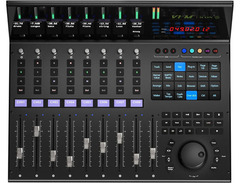
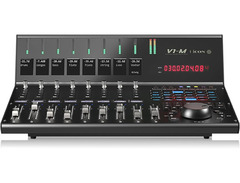
Embrace the future of music production with the iCON Pro Audio V1-M, a DAW controller that revolutionizes your studio workflow. With its 7" OLED touchscreen, you're offered unparalleled command over your digital audio workstation, thanks to 24 programmable fields that can handle up to 120 functions. Whether you’re orchestrating complex compositions or just getting started, this device’s intuitive design ensures your creative vision is at the forefront.
The V1-M comes equipped with nine touch-sensitive motorized faders, providing precise control for dynamic mixes. Seamlessly switch between up to three DAWs, maximizing your productivity without missing a beat. The tactile interface is complemented by a TFT display, offering clear insights into your mix levels, pan positions, and all other crucial parameters at a glance.
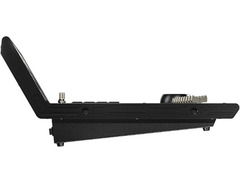
Designed for the demanding environment of professional and project studios, the V1-M integrates effortlessly with popular DAWs like Ableton Live, Logic Pro, and Pro Tools. Enjoy the tactile pleasure of controlling your mix with optical jog wheels and illuminated buttons for essential functions like solo, mute, and record, all housed within a robust metal chassis for durability.
Expand your creative horizon further with the V1-X expander, taking you from 9 to 64 channels, perfect for complex audio projects. The V1-M supports Mackie Control Universal and HUI protocols, ensuring seamless integration with your favorite music production software.
Key Features:
- 7" OLED touchscreen with 24 programmable fields
- 9 touch-sensitive motorized faders
- Supports up to 3 simultaneous DAWs
- TFT display for channel and parameter values
- Compatibility with major DAWs like Pro Tools, Logic Pro, and Ableton Live
- Optical jog wheel and illuminated buttons for comprehensive DAW control
- Expandable to 64 channels with V1-X expanders
- USB-C connectivity and class-compliant with MacOS 10.15 and Windows 10
Owner's manual
iCON Pro Audio V1-M User ManualProduct specs
| Available since | December 2023 |
| USB | Yes |
| Bluetooth | No |
| 5-pole DIN MIDI | No |
| Ethernet | No |
| Fader | 9 |
| Rotary Encoders | 8 |
| Audio I/O | No |
| Transport Function | Yes |
| Footswitch connection | Yes |
| Foot Controller Connection | Yes |
| Bus-Powered | No |
| Jog | Yes |
| Joystick | No |
| Additional Features | n/a |
Videos

Lonely Rocker
Is The Icon V1-M DAW Controller Worth The Hype?
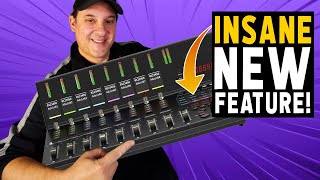
Is The Icon V1-M DAW Controller Worth The Hype?
Lonely Rocker
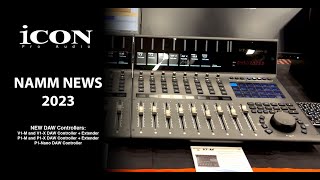
ICON NAMM NEWS 2023 - New V1-M, P1-M, P1-Nano DAW Controllers

Sound Service GmbH
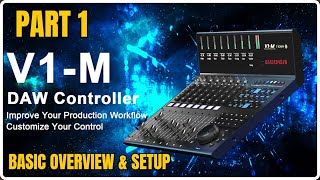
ICON V1-M DAW CONTROLLER | Set Up & Overview PT 1

Home Recording Made Easy
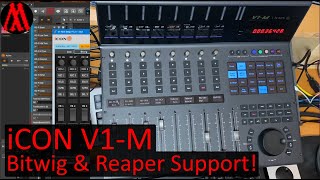
iCON V1-M (V1-X, P1-M, P1-X, P1-Nano), Unboxing, Test, Bitwig & Reaper Support with DrivenByMoss!

Jürgen Moßgraber
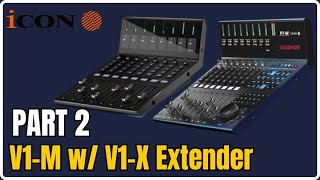
ICON V1-M & V1-X | DAW CONTROLLER | Set Up & Plugin Control PT 2
Home Recording Made Easy
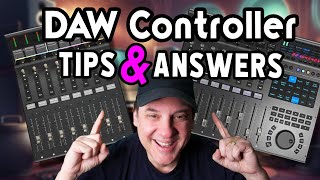
The V1-M DAW Controller | iCon Reveals All
Lonely Rocker
Reviews
PROS
-
High-quality, premium hardware with robust metal casing
-
Jog Wheel is smooth, heavy, and offers excellent precision
-
Faders feel solid and responsive with minimal friction
-
Configurable touchpad with customizable shortcuts in iMap software
-
Displays are clear and readable from various angles
-
Generous layout suitable for professional studio setups
CONS
-
Software lacks polish and suffers from lag and inconsistencies
-
Poor documentation, especially for Cubase integration
-
Inconsistent button response; spongy feel without clear tactile feedback
-
LED meters and channel displays often don't show expected information
-
Compatibility issues with Mac M4 and cumbersome setup requirements
-
Faders occasionally skip values when moved quickly
-
Serial number only available on packaging, not on the device
-
Master meter and channel color displays don't function as expected
Owner Insights
We analyzed real musician discussions from forums and Reddit to find what players love, question, and tweak about iCON Pro Audio V1-M.
Software and compatibility
-
Users note that Cubase offers the best compatibility for the V1-M, while track colors and lower LCD screen reading remain unresolved issues.
Source -
The iMap software from Icon is suggested for mapping the V1-M to Bitwig commands, although full support is inconsistent.
Source -
Driven by Moss scripts are mentioned as a potential tool for improving the V1-M's integration with various DAWs.
Source -
Users note that the integration with Ableton Live relies heavily on Mackie Control, which is outdated and doesn't support many features like high-resolution meters.
Source
Features and functionality
User experience
-
Some owners experienced physical issues, such as rubber buttons falling off and dust affecting fader functionality after extensive use.
Source
Mods and upgrades
-
To improve functionality, users resort to remapping buttons with Ableton MIDI remote scripts and using automation software like Keyboard Maestro for basic operations.
Source
Critic Reviews
Based on 0 Reviews and 0 Ratings
Genre Usage
Based on how artists on Equipboard use this gear, it is most commonly found in the following genres.
Used With
Based on how musicians on Equipboard use iCON Pro Audio V1-M, it is most commonly used with the following gear.





Community setups
Show yours

More iCON Pro Audio DAW Controllers

$421.84
in DAW Controllers Rank


$200.00 - $382.49
in DAW Controllers Rank


$74.00
in DAW Controllers Rank

$142.79 - $163.00
in DAW Controllers Rank


$459.00 - $599.00
in DAW Controllers Rank
-m.webp?v=1784819643)
$245.00 - $299.00
in DAW Controllers Rank

$699.00 - $899.00
in DAW Controllers Rank

$371.00 - $499.00
in DAW Controllers Rank


$133.00 - $240.00
in DAW Controllers Rank


$180.00 - $277.00
in DAW Controllers Rank


$53.00 - $119.99
in DAW Controllers Rank


$249.00 - $499.00
in DAW Controllers Rank


$80.00
in DAW Controllers Rank


$33.91 - $209.99
in DAW Controllers Rank


$285.00 - $419.00
in DAW Controllers Rank


$182.68 - $599.99
in DAW Controllers Rank


$1,045.00 - $1,399.99
in DAW Controllers Rank


$76.40 - $109.00
in DAW Controllers Rank


$57.00 - $1,299.99
in DAW Controllers Rank


in DAW Controllers Rank


$95.00
in DAW Controllers Rank


$99.00 - $229.00
in DAW Controllers Rank


$699.99 - $839.99
in DAW Controllers Rank


$169.00 - $209.99
in DAW Controllers Rank


$228.68 - $524.99
in DAW Controllers Rank


$1,295.00 - $1,495.00
in DAW Controllers Rank


$995.00 - $1,195.00
in DAW Controllers Rank


$79.95 - $109.00
in DAW Controllers Rank


$122.00 - $189.00
in DAW Controllers Rank


$160.63 - $349.99
in DAW Controllers Rank

$184.28
in DAW Controllers Rank


$575.69 - $799.99
in DAW Controllers Rank

$120.00
in DAW Controllers Rank


$48.00 - $70.90
in DAW Controllers Rank

Artist usage


Similar


Gear Guides







Most Popular DAW Controllers
Most Popular Brands
-
Added to Equipboard on by
 meb
mebGearIQ 2822
-



